




-

Simple and Practical: Easily uninstall unwanted software.
-
Thorough Cleanup: Completely remove residual files.
-
Blacklist Protection: Identify and block malware and adware.
Lyric Remover: Ultimate Guide to Remove Voice from Audio
Learning how to remove singing from a song used to be a difficult process that needed advanced audio engineering skills. Musicians, DJs, and content creators used to struggle with complex manual techniques that only used to give them inconsistent results.Here’s a lyric remover that could fix it at ease.
Today, modern AI lyric remover tools have changed the way we remove voice from audio files completely. With the intelligent systems we have today, it is easy to analyze vocals and music separately, giving you clean instrumental tracks while keeping the quality and dynamics of the original recording. These tools have made it possible for anyone to rip vocals from song files with professional level precision.
Let us see how to remove singing from a song that works well for you both professionally and personally.
Part 1: Understanding Modern Vocal Separation Systems
Lyric remover software nowadays has fully developed in comparison to the old approach of audio editing software. These emerging systems are based on the artificial intelligence algorithms that are directly trained on the large databases of music and can distinguish between the vocal and instrumental elements of any music with ultimate precision.
In contrast to the more basic methods used in the past that merely extracted the center channel audio or employed primitive filtering, the most advanced tools of vocal separation nowadays examine the frequency of the entire song. These intelligent systems are able to detect various attributes such as lead vocals, harmonies and even heavy process vocal effects that were either not detected or destroyed by the old time processes.
The current revolution in the lyric remover applications is all about their capability to retain audio fidelity and at the same time provide you with the most accurate separation track. The usual traditional techniques can produce undesired artifacts, lower stereo imaging, and occasionally can be used to eliminate instruments which share a similar frequency range with the vocals. But nowadays, the existing AI-based solutions provide you with the original spatial properties, dynamic range and tonal integrity of the recording.
Part 2: Step-by-Step Audio Processing Tutorial (Lyric Remover)
Here is how you can remove voice from audio files, a reliable lyric remover. This method works well among different musical genres and recording styles:
How to Use Master Vocal Remover
By selecting a reputable platform for vocals and music removal you will get the ideal results that you are looking for.
- Go to the official website of IPCMaster Vocal Remover and download and install the software on your laptop.
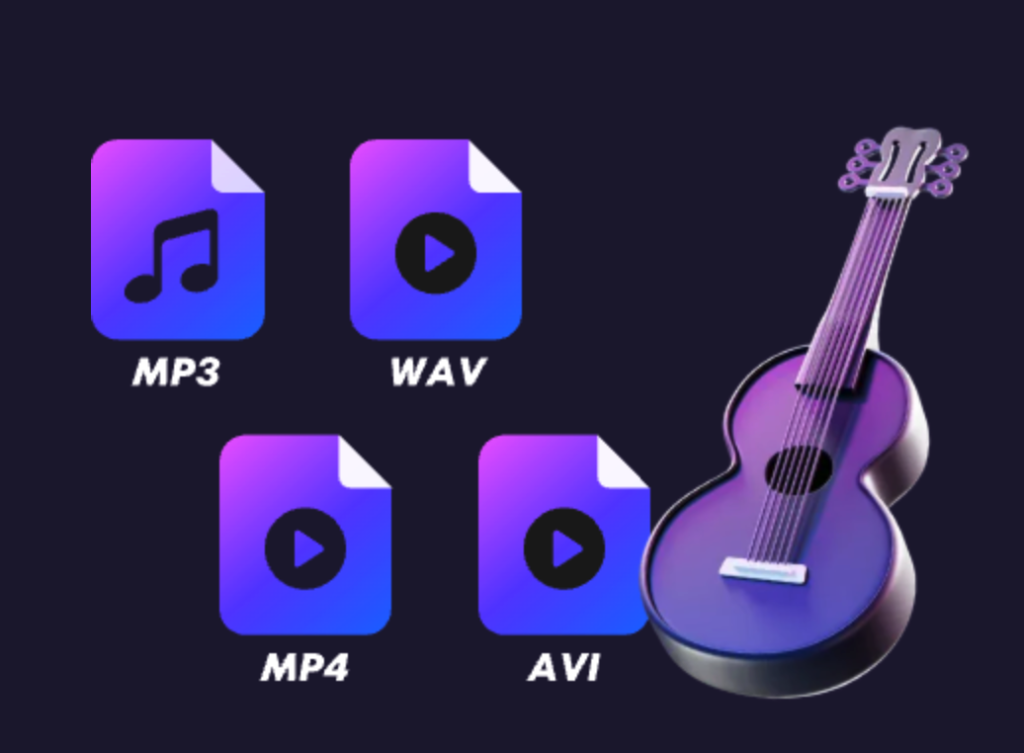
- Once the system is installed and launched on your computer you can click on the ‘add file’ button and select the audio you want to use for separation. This software supports popular formats that includes MP3, WAV, FLAC, and AAC. The system will begin to optimize the process automatically based on the specifications of your file.
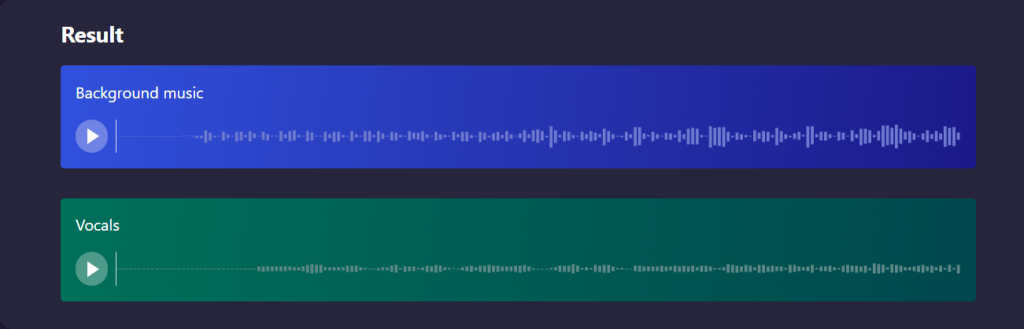
- Once the file is uploaded look for the ‘vocal remover’ option and click on it. This setting tells the AI algorithms to focus on only separating the vocal frequencies while keeping the instrumentals intact. The lyric remover will then begin its process. The duration for the same will depend on the length and the complexity of the audio file.
- After the separation process is completed, you could preview the separated tracks individually. This will help you understand if the separation has met your expectationn. You could also make the necessary changes while keeping the instrumentals intact.
(Image)
Alt text: Preview separated instrumental and vocal tracks
- If you are satisfied with the final output, download your processed files in the format you prefer. There will be different quality options available from compressed formats for casual use to high resolution files used for professional purposes.
The final instrumental track can be used for different reasons including for practice sessions, karaoke preparation, remixing projects, and even as backing music for original vocal performances. Many musicians use these separated tracks to study and understand complex arrangements or create personalized vocals for live performances.
Part 3: Professional Techniques for Advanced Users
For users demanding maximum control and superior audio quality, desktop lyric remover applications provide comprehensive features that exceed basic online alternatives. These professional-grade solutions offer advanced parameter adjustment, real-time monitoring, and batch processing capabilities.
Premium vocal separation software includes specialized algorithms designed for different musical styles and recording techniques. Contemporary pop tracks benefit from standard vocal extraction, while complex orchestral pieces or jazz recordings may require specialized processing modes that account for intricate harmonic structures and instrumental layering.
Professional applications feature real-time preview functionality that allows parameter adjustment while monitoring the results. Users can adjust frequency sensitivity, balance vocal removal and quality, and target lead vocals precisely.
Advanced batch processing features enable simultaneous vocal removal across multiple tracks, maintaining consistent quality settings throughout entire albums or playlists. This capability proves essential for DJs, music producers, and educators managing extensive audio libraries.
Part 4: Exploring Different Vocal Removal Approaches
Understanding various vocal separation methods helps you select the optimal approach for your specific requirements. Each technique offers unique advantages depending on your technical needs, budget considerations, and quality expectations.
AI-Powered Lyric Removers deliver the most consistent results across diverse musical styles. These systems excel at identifying complex vocal patterns and maintaining audio quality, making them ideal for professional applications and general use.
Traditional Center-Channel Extraction works best with older recordings where vocals were mixed directly in the center of the stereo field. This method provides instant results but may affect instruments positioned similarly in the mix.
Phase Inversion Techniques can be effective with specific stereo recordings but require manual adjustment and technical knowledge. Results vary significantly depending on the original mixing techniques used during recording.
Spectral Editing Methods offer the highest precision for vocal removal but demand considerable skill and time investment. Professional audio engineers use these techniques for critical applications where perfect results are essential.
Web-Based Solutions provide convenient access for casual users and quick projects. While they may not match desktop software in terms of advanced features, they offer excellent results for most common vocal removal tasks.
Part 5: Real-World Applications for Clean Instrumentals
Learning to effectively remove singing from a song and rip vocals from song files opens numerous creative opportunities that extend well beyond simple karaoke preparation. Musicians, content creators, and audio professionals discover innovative applications for separated instrumental tracks.
Music Creation and Production
Clean backing tracks provide excellent foundations for original compositions, vocal overdubs, and creative remixing projects. Producers use these tracks to experiment with new arrangements while maintaining professional-quality accompaniment.
Educational Training and Skill Development
Musicians utilize instrumental versions for focused practice sessions, allowing them to concentrate on their performance without competing vocal elements. Music students can study arrangement techniques and instrumental parts more clearly.
Performance and Entertainment Applications
Solo artists and smaller ensembles create custom backing tracks that match their specific performance styles, key preferences, and arrangement choices. This eliminates dependence on pre-made tracks or full band accompaniment.
Content Development and Media Production
ChatGPT 说:
Creators use instrumental tracks as background music without vocal interference or licensing issues.
Therapeutic and Recreational Uses
Music therapists, karaoke enthusiasts, and entertainment coordinators develop customized sing-along experiences tailored to specific audiences, therapeutic goals, or social activities.
Modern lyric remover
Technology enables partial vocal reduction, harmony isolation, and selective instrument separation, providing unprecedented flexibility for diverse creative and professional applications.
Final Thoughts
Mastering lyric removertechnology has become more straightforward and effective than ever, thanks to breakthrough AI-powered vocal separation systems. What previously required expensive studio equipment and specialized technical knowledge is now accessible through intuitive applications that deliver professional-quality results with minimal complexity.
Whether you opt for convenient online solutions for occasional projects or invest in advanced desktop software for professional applications, the ability to remove voice from audio fundamentally changes how you work with recorded music. From developing practice materials to producing original content, effective vocal removal unlocks creative possibilities that were once technically challenging or financially prohibitive.
As AI technology continues advancing, vocal separation capabilities become increasingly sophisticated and user-friendly. Begin exploring these powerful tools today and discover how seamless lyric removal can enhance your musical projects and expand your creative horizons.
>>Also Read: How to Separate Music from Vocals Without Losing Sound Quality
How to Cut Out Voice from Music: Complete Step-by-Step Guide
A lot of musicians and audio enthusiasts have had difficulty in understanding how to cut out voice from music files. Traditional methods need expensive software, technical expertise, and often lead to giving poor audio quality with unwanted background noise.
The AI vocal splitter tools we have today have changed. Now, it is possible for anyone to separate vocal from music and also get professional results. Whether you need clean instrumentals for karaoke, remixing, or practice sessions, using song voice remover tools give the best accuracy without the unwanted background sound.
Let us look at how you can separate vocal from music files by using a vocal isolator free software like IPCMaster Vocal Remover.
Part 1: Understanding AI Vocal Splitter Technology
Modern AI vocal splitter tools are very different from traditional vocal removal methods. These new systems will analyze audio frequencies using machine learning algorithms which have been used for millions of songs. This allows them to understand the difference between vocal elements and instrumental notes perfectly.
Unlike how the older methods used a simple center channel extraction or phase inversion, it is different today. AI powered song voice remover tools can identify vocal frequencies across the entire track. They can recognize vocal harmonies, background vocals, and even highly processed vocals that traditional methods can miss out on sometimes.
The best part about using AI vocal splitters is their ability to save the audio quality while getting that perfect clean separation. Traditional methods generally have artifacts, reduced stereo width, or left over instruments that have the same frequency ranges as the vocals. Modern AI solutions can maintain the original instruments, stereo field, and tone balances of the original recording giving you the best results that sound natural and professional.
Part 2: How To Remove Vocals Using Free Tools
Here is how to cut out voice from music using a vocal isolater free software called IPCMaster Vocal Remover. You can use this method for any type of music genre.
- Go to the official website of IPCMaster Vocal Remover to download this vocal isolator free platform. You will be able to easily install the AI vocal splitter software on your computer with ease.
- Once the software in installed and launched you can upload your audio file by clicking on “add file” button on the screen. IPCMaster Vocal Remover can support common formats that include MP3, WAV, FLAC, and M4A. This AI voval splitter will automatically detect your file format and start the separation process accordingly.

- Once your file is uploaded, select the ‘vocal removal’ option on the screen and this will lead to the AI vocal splitter to remove any unwanted vocal frequencies while keeping the instrumental music.
- Click on the ‘start’ button to begin the separation process. The AI vocal splitter will start to analyze your file, identify vocal patterns, and then begin to separate them from the instrumental music. The entire processing time depends on how long and complex the music file is.
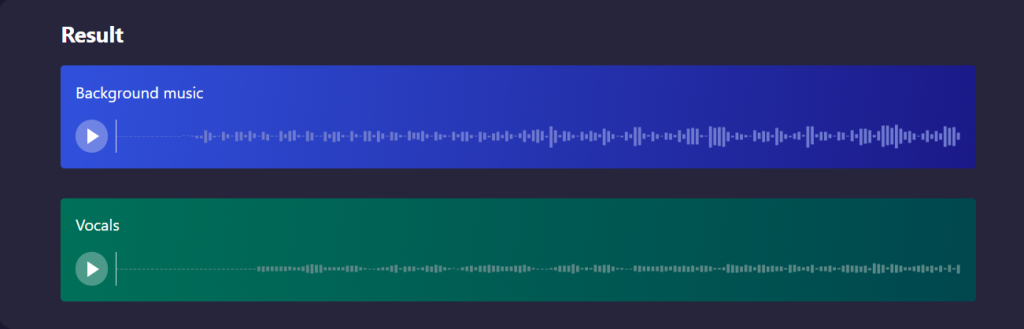
- Once the process is completed, you can listen to both the vocal free instrumentals and the isolated vocals. This will help you understand the separation quality and make sure that the separation is exactly how you want it to be before downloading.
Alt text: Preview separated vocal and instrumental tracks
- Download your final file in your preferred format. This vocal isolator free tool supports multiple quality formats from MP3 for casual use to other heavy formats for professional use.
The final output that you receive from this tool can be used for practice, karaoke, or as a base to learn new musical arrangements. Professional musicians generally use these separated tracks to learn complex tunes or to create custome backing tracks for live performances.
Part 3: Advanced AI Vocal Removal Methods
For users requiring maximum control and quality, desktop AI vocal splitter applications provide sophisticated options that surpass basic online tools. These professional-grade solutions offer fine-tuning capabilities, batch processing, and superior audio quality retention.
Advanced AI vocal splitters feature multiple separation modes tailored to different musical styles. Rock and pop tracks benefit from standard vocal removal, while jazz and classical recordings may require specialized algorithms that account for complex harmonies and orchestral arrangements.
Professional applications also include real-time preview functionality, allowing you to adjust separation parameters while listening to the results. You can modify the AI’s sensitivity to different frequency ranges, adjust the balance between vocal removal and audio quality, and even isolate specific vocal elements like lead vocals while preserving background harmonies.
Batch processing capabilities enable you to separate vocal from music across entire albums or playlists simultaneously, maintaining consistent quality settings across multiple tracks. This feature proves invaluable for DJs, producers, and music educators working with large audio libraries.
Comparing Different Voice Removal Techniques
Understanding the strengths and limitations of various approaches helps you choose the right method for your specific needs. Each technique offers distinct advantages depending on your technical requirements, budget constraints, and quality expectations.
| Feature / Method | AI Vocal Splitter | Center Channel Extraction | Phase Inversion | Spectral Editing | Online Free Tools |
| Ease of Use | One-click operation | Requires audio software | Manual setup needed | Complex interface | Simple upload |
| Sound Quality | Excellent preservation | Moderate quality loss | Variable results | Highest quality possible | Good for casual use |
| Good for casual use | Fast automated process | Instant but basic | Quick manual process | Slow and precise | Instant Online |
| Vocal Removal Accuracy | High AI Precision | Limited effectiveness | Inconsistent Results | Perfect with skill | Moderate Accuracy |
| Best For | General Use, Remixing | Quick rough removal | Specific stereo recordings | Professional Mastering | Casual experimentation |
Creative Applications for Vocal-Free Music
Learning how to cut out voice from music opens numerous creative possibilities that extend far beyond simple karaoke preparation. Professional musicians, content creators, and audio enthusiasts discover innovative ways to utilize separated instrumental tracks in their projects.
Here are some popular applications for vocal-free music:
- Music Production and Remixing: Clean instrumental tracks provide the perfect foundation for creating new arrangements, adding original vocals, or developing entirely new musical concepts while maintaining the original song’s structure and feel.
- Educational and Practice Sessions: Musicians use instrumental versions to practice their parts without competing vocals, allowing them to focus on timing, dynamics, and musical expression while playing along with professional recordings.
- Live Performance Backing Tracks: Solo performers and small bands create custom backing tracks that match their specific arrangements, key signatures, and performance styles, eliminating the need for expensive pre-made tracks or full band accompaniment.
- Content Creation and Media Production: Podcasters, video producers, and content creators utilize instrumental versions as background music without worrying about vocal content interfering with their spoken content or violating copyright restrictions.
- Karaoke and Entertainment: Beyond traditional karaoke, vocal-free tracks enable party hosts to create custom sing-along sessions, music therapy applications, and interactive entertainment experiences tailored to specific audiences and occasions.
- Audio Analysis and Music Education: Students and researchers examine instrumental arrangements, study production techniques, and analyze musical composition without vocal distractions, leading to deeper understanding of song structure and arrangement principles.
The versatility of AI vocal splitter technology means you’re not limited to complete vocal removal. Many advanced systems allow partial vocal reduction, harmony isolation, and even individual instrument separation, providing unprecedented flexibility for creative projects.
Conclusion
Mastering how to cut out voice from music has become more accessible and effective than ever before, thanks to revolutionary AI vocal splitter technology. What once required expensive studio equipment and technical expertise is now achievable through user-friendly applications that deliver professional-quality results with minimal effort.
Whether you choose vocal isolator free online tools for occasional use or invest in advanced AI vocal splitter software for professional applications, the ability to separate vocal from music transforms how you interact with your favorite songs. From creating practice tracks to producing original content, clean vocal removal unlocks creative possibilities that were previously impossible or prohibitively complex.
The future of audio separation continues evolving, with AI technology becoming more sophisticated and accessible. Start exploring these powerful song voice remover tools today and discover how effortless vocal removal can enhance your musical projects and creative endeavors.
>>Also Read: How to Use Vocal Remover Freeware for Clean Tracks
Remove Singing from Song: The Complete Guide to Creating Perfect Instrumental Tracks
Looking to sing your favorite song at the karaoke but don’t have the instrumental version? Or are you a video producer that requires music with no vocals to use in your latest video? Or are you a musician who wants to rehearse to your favorite music but you need to strip the music of voice first?
Nowadays, it is not as hard to take vocals out of songs like it was in the past. You do not have to visit a studio of professional musicians to achieve that perfect instrumental track. Using the appropriate tools and techniques you will be able to remove singing from song tracks and make high quality instrumental versions at home on your computer.
Let us walk you through everything you need to know about how to remove words from song files and create that perfect karaoke track.
Part 1: Understanding Vocal Removal Technology
When you want to remove voice from music tracks, it is important to understand how vocal removal actually works. Here is what happens during the entire process and what can possible go wrong during this time:
Common Issues When You Remove Singing from Song Files:
- Instrument Loss: Some instruments have the same frequency ranges with vocals and this can get removed along with the singing.
- Stereo Imbalance: With poor removal the music can sound unnatural that feels hollow or like it is missing depth.
- Residual Vocals: A few vocals might remain with backing vocals or harmonies.
- Quality Degradation: The overall quality can be reduced if you use basic removal methods.
To successfully remove words from song tracks it is important to choose the right method based on how the original song was mixed and made.
Part 2: Professional Methods to Remove Voice from Songs
Let us look at the most effective ways you can remove singing from song files:
1. Master Vocal Remover: The Professional Choice
IPCMaster Vocal Remover is one of the most reliable vocal isolators that can be used for both beginners and professionals. This AI-powered software understands your music files and separates the vocals from instruments easily. Here is how you can use this vocals isolator:
- Visit the official IPCMaster Vocal Remover website and download the software. The installation process is simple and easy. It will take a few minutes to install on your computer.
- Launch the program and you will see an interface with an ‘add file’ button. Click on it to upload the song from which you want to remove voice elements. The software supports audio formats like MP3, WAV, FLAC, and M4A.

- Select your mode for vocal removal. To use the default settings you can just click on the ‘removal vocals’ option. But if you want to explore advanced settings you can make the changes accordingly.
- Click on ‘start’ and let the software do its work. The vocal isolator will analyze the frequency patterns and separate the instruments accordingly. This process takes around 1-3 minutes to complete.

- Once the process is completed, listen to the final output and make your changes accordingly.

- Save your new instrumental file in the format you want. For the best quality, you can export it as WAV or high bitrate MP3.
Alt text: export instrumental track
2. Alternative Techniques for Vocal Removal
If you want to explore other methods to remove words from song files you can use:
- Center Channel Extraction: Most professionally mixed songs place lead vocals in the center of the stereo field while instruments are spread across left and right channels. This vocal isolator technique extracts the center channel information to remove singing from song tracks.
- Phase Inversion Method: This classic technique works by inverting the phase of one stereo channel and combining it with the other. Elements that are identical in both channels (typically lead vocals) cancel out, while different elements (instruments) remain.
- Spectral Editing: Advanced users can use spectral analysis tools to visually identify and remove voice frequencies while preserving instrumental elements. This method requires more skill but offers precise control.
Part 3: Pro Tips for Superior Vocal Removal Results
When you remove singing from song tracks, following these professional guidelines will help you achieve the best possible results:
- Start with High-Quality Source Material: Always begin with the highest quality audio file available. Lossless formats like FLAC or WAV will give you better results than compressed MP3 files when you remove voice elements.
- Understand Your Source Material: Songs with vocals panned to the center work best for standard removal techniques. Live recordings, heavily processed vocals, or songs with vocals spread across the stereo field may require specialized approaches.
- Use Reference Monitoring: Listen to your results on different speakers and headphones. What sounds good on computer speakers might reveal problems when played through studio monitors or car speakers.
- Preserve Dynamic Range: Avoid over-compressing your final output. The goal is to maintain the natural dynamics of the original instrumental arrangement.
- Keep Multiple Versions: Save different versions with varying vocal removal strengths. Sometimes a subtle approach that leaves minimal vocal traces sounds more natural than complete removal.
- Consider the Genre: Different music styles respond differently to vocal removal. Rock and pop tracks often work well, while jazz or classical pieces with complex arrangements may present more challenges.
Part 4: Solving Common Vocal Removal Challenges
Even with the best vocal isolator tools, you’ll encounter specific situations that require special handling:
1. When Backing Vocals Remain
Background vocals and harmonies are often mixed differently than lead vocals, making them harder to remove. When you remove singing from song files but backing vocals persist, try using a more aggressive removal setting or combine multiple techniques.
2. Dealing with Vocal Effects
Heavily processed vocals with reverb, delay, or other effects can be challenging to remove completely. The effects often spread across the stereo field, making standard center-channel removal less effective.
3. Managing Instrument Loss
If important instruments disappear when you remove voice elements, try using a gentler removal setting. Sometimes accepting minimal vocal traces is better than losing key instrumental parts.
4. Handling Mono Recordings
Older recordings or songs mixed in mono don’t have the stereo separation that makes vocal removal easier. For these tracks, AI-based vocal isolator tools like IPCMaster work better than traditional phase-cancellation methods.
5. Working with Live Recordings
Live performances present unique challenges due to room acoustics and microphone bleed. When you remove words from song files recorded live, focus on removing the most prominent vocal elements rather than achieving perfect isolation.
6. Processing Different Song Structures
Songs with instrumental breaks, bridges, or complex arrangements may require section-by-section processing for optimal results.
Part 5: Creative Uses for Vocal Removal
Once you master how to remove singing from song tracks, you’ll discover numerous creative applications:
- Karaoke Creation: Transform your favorite songs into karaoke tracks for personal entertainment or professional karaoke services.
- Music Practice: Musicians can remove voice elements to practice along with their favorite songs or learn instrumental arrangements.
- Content Creation: Video creators can extract instrumental versions for background music without worrying about vocal content conflicts.
- Remixing and Sampling: Producers can isolate instrumental elements for remixing or create clean samples for new compositions.
- Educational Purposes: Music teachers can create instrumental versions for student practice or demonstration purposes.
Conclusion
Learning to remove singing from song tracks has never been more accessible than it is today. With powerful vocal isolator tools like IPCMaster Vocal Remover, you can transform any vocal track into a professional-quality instrumental version in just a few simple steps.
The key to success lies in understanding that vocal removal is both an art and a science. While AI technology has made the process much more straightforward, achieving the best results still requires the right approach, quality source material, and sometimes a bit of experimentation with different settings.
Whether you’re creating karaoke tracks, preparing backing tracks for live performance, or simply want to remove voice elements for creative projects, the tools and techniques covered in this guide will help you achieve professional results. Start with user-friendly solutions like IPCMaster Vocal Remover to get familiar with the process, then experiment with different methods to find what works best for your specific needs.
Remember, the goal isn’t always perfect vocal removal, sometimes preserving the natural sound and musicality of the track is more important than achieving complete isolation. With practice and the right tools, you’ll soon be creating high-quality instrumental versions of any song you choose.
>>Also Read: How Can I Remove Voice from a Song?
How to Remove Vocals of a Song: Your Complete Guide to Creating Karaoke Tracks
Looking to create your own karaoke tracks or make instrumental versions of your favorite songs? Learning how to remove vocals of a song is easier than you think. Whether you want to sing along to clean backing tracks, create remixes, or just hear what the instruments sound like without the singer using a vocal remover will help with all of this.
You do not need expensive studio equipment or professional training to get good results. With the right tools and techniques you can delete vocals from MP3 files from your home computer.
Let us show you how to remove vocals of a song by using simple methods that will actually work.
Why People Want to Know How to Remove Vocals of a Song
There are many reasons why one would want to remove voice from their favorite songs:
- Creating Karaoke Tracks: To make your own karaoke version when official instruments are not available.
- Music Practice: To practice with backing tracks without vocals.
- Remix Projects: To use clean instrumentals for mashups and remixes.
- Educational Use: To understand and learn on instrumental arrangements.
- Content Creation: To use vocals without background music for youtube and podcasts.
- Personal Enjoyment: To just listen to the instrumental parts clearly for pleasure.
Step-by-Step Guide: How to Separate Vocals from a Song
It is very simple to remove voices from music using the IPCMaster Vocal Remover for beginners. The software can handle technical work automatically while giving you control on the final results.
- Getting Started with IPCMaster Vocal Remover
Start by downloading the software from the official IPCMaster Vocal Remover website. This installation process is quick and simple.
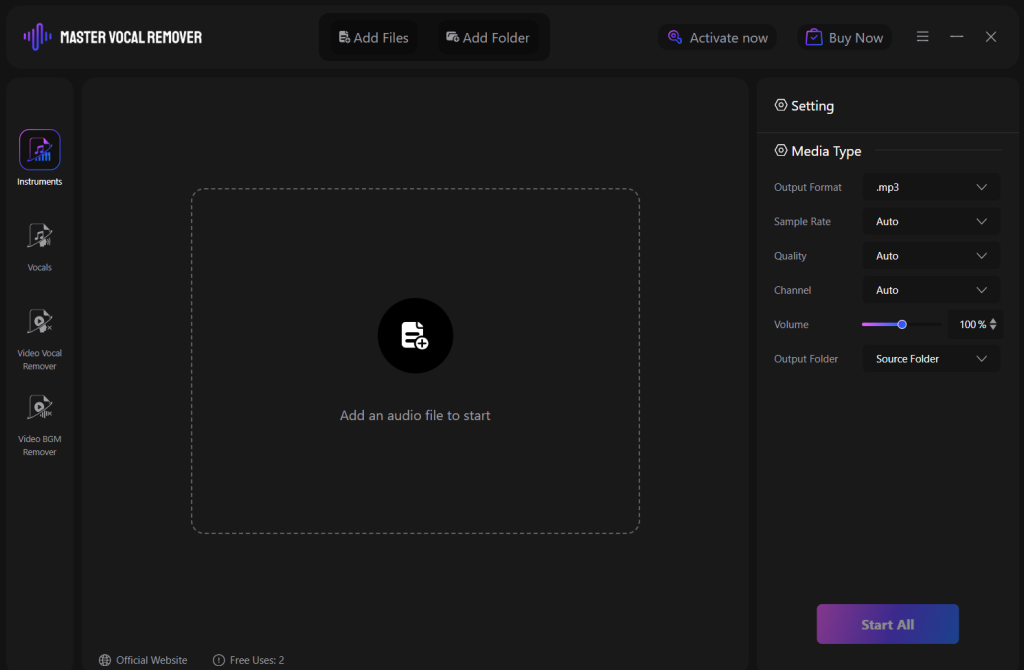
- Processing Your First Song
Once the software is installed and launched, click on ‘add file’ and select the song that you want to use. The software will accept common audio files including MP3, WAV, and FLAC so you do not need to convert your files first. You can even drag and drop the music files directly to the program window.

Once the song file is uploaded, choose the vocal removal option. Then, click on the start button. The software will begin to analyze your track and remove the unwanted vocals while keeping only the instruments. The processing time depends on how long the song is but most of the tracks take up to 1 to 2 minutes. You will be able to watch the progress on the screen.
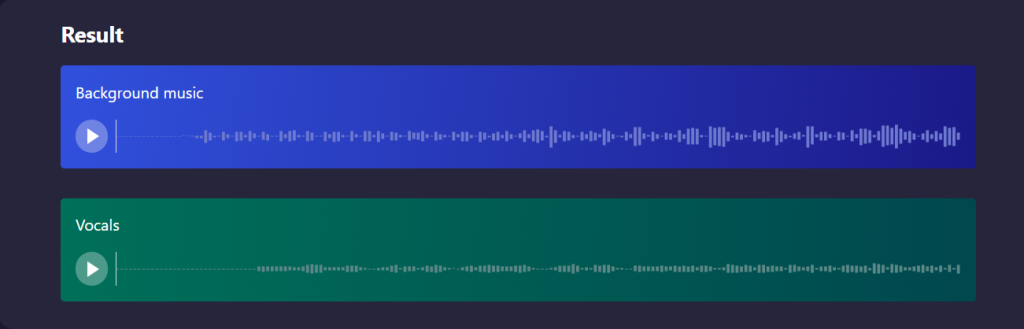
- Evaluating and Saving Your Results
Once the files are completely processed you can listen to the instrumental version to check the quality. The vocals would be gone or reduced while the backing instruments would now sound more clear and natural. If you are not satisfied with the results, you can adjust the default settings and try again.
Save your karaoke track with a file name that will help you remember what it is and choose the audio format that works best for you. WAV files have the highest quality but are larger in size while MP3 files are more compact and can work well for most downloads.
Tips for Better Results When You Delete Vocals from MP3
Starting with Quality Source Material
The quality of your final instrumental track depends heavily on the source material you start with. High-quality audio files always produce better results than heavily compressed or low-bitrate versions. If you have multiple versions of the same song, choose the one with the best audio quality.
Professional studio recordings work much better than live performances or amateur recordings. The controlled environment and standard mixing practices used in professional studios make vocal separation more predictable and effective.
Optimizing Your Processing Settings
Most vocal removal software offers different processing modes and sensitivity levels. Start with the default settings for your first attempts, then experiment with different options if you’re not satisfied with the results. Making small adjustments often works better than dramatic changes.
Listen to your results with good headphones or speakers so you can accurately judge the quality. Computer speakers or cheap earbuds don’t provide enough detail to properly evaluate whether the vocal removal worked effectively.
Alternative Methods on How to Remove Vocals of a Song
Manual Editing Techniques
For users comfortable with audio editing software, there are manual approaches to vocal removal. The phase inversion method works when you have both the full stereo mix and an instrumental version of the same song. By inverting the phase of one track and combining them, you can cancel out matching elements.
EQ filtering involves identifying and reducing the frequency ranges where vocals typically sit. This requires more technical knowledge but can be effective for songs that don’t respond well to automatic processing.
Online and Mobile Solutions
Web-based vocal removal tools offer convenience for occasional use. You simply upload your song file and the website processes it automatically. While convenient, online tools usually provide less control and may have quality limitations compared to dedicated software.
Mobile apps for vocal removal have improved significantly and can be useful for quick projects or when you’re away from your computer. However, they typically don’t match the quality and features available in computer-based software.
Professional Applications
Music Education and Training
Teachers and students benefit greatly from having access to instrumental versions of songs. Vocal teachers can provide backing tracks for students to practice with, while music theory classes can focus on instrumental arrangements without vocal distractions.
Musicians learning to play specific songs find instrumental versions invaluable for practice. You can hear exactly how each instrument part fits into the overall arrangement, making it easier to learn your own parts accurately.
Content Creation Uses
Digital content creators regularly need instrumental background music for their projects. Videos with voice-over work much better with instrumental tracks that don’t compete with the narration. Podcast producers use instrumental versions for intro and outro music to create a professional sound.
Live streamers and social media creators often want to sing along with popular songs, making karaoke tracks essential for their content. Having clean instrumental versions allows for better audio quality and more engaging performances.
DJ and Production Work
Professional DJs and music producers frequently need instrumental versions for their work. Remix projects require clean backing tracks as foundation material. Mashup creators combine instrumental sections from different songs to create entirely new compositions.
Extended dance mixes often loop instrumental sections to create longer versions suitable for club play. Having access to clean instrumental tracks makes this process much easier and more professional sounding.
Getting Started with Your First Project
Choosing the Right Song
For your first vocal removal project, pick a song that you know well and that fits the criteria for good processing results. Popular pop or rock songs with clear production usually work well for beginners. Avoid live recordings, heavily produced electronic tracks, or songs with prominent backing vocals until you gain more experience.
Starting with familiar music makes it easier to judge whether the vocal removal worked correctly. You’ll immediately notice if important parts are missing or if the balance doesn’t sound right.
Building Your Skills Over Time
Like any technical skill, vocal removal gets easier with practice. Start with simple projects and gradually work up to more challenging songs as you become comfortable with the process. Pay attention to what types of music work well and which songs are more difficult to process successfully.
Join online communities of musicians and audio enthusiasts where you can share experiences and learn from others. Many people are happy to share tips and techniques that have worked well for them.
Conclusion: Unleashing Your Musical Creativity
Learning how to remove vocals of a song opens up a world of musical possibilities that weren’t available to regular people just a few years ago. Whether you’re creating karaoke tracks for fun, developing your musical skills, or producing content, vocal removal technology gives you powerful creative control over your music collection.
Remember that perfection isn’t always the goal. A good karaoke track just needs to be enjoyable to sing with, while background music for videos simply needs to support your content without competing vocals. Focus on getting results that work for your specific needs rather than chasing technical perfection.
With tools like IPCMaster Vocal Remover, anyone can achieve professional-quality results without expensive equipment or years of training. Start experimenting with your favorite songs today and discover new ways to enjoy and create music that reflects your personal style and creativity.、
Also Read: How Can I Remove Voice from a Song?
Delete Background Music: Clean Up Your Audio in Minutes
Ever recorded something really important but unable to remove the background music? It could be a great interview you did at a restaurant but the music kept playing in the background. Or you recorded a family moment but the TV was on. This happens all the time and it can be really frustrating when you just want to clean the audio.
The good thing is that you do not have to throw away that recording. With the tools available today you can easily delete background music from any audio file while keeping the voices clear and natural. You do not need expensive equipment or years of training to get good results.
Let us show you how you can clean up your audio files using a free beat remover tool that actually works. Whether it is a podcast recording, voice memo, or any other audio with unwanted background music you will be able to fix it easily.
Why Background Music Becomes a Problem?
Background music becomes an issue when you are trying to keep only the audio you want to hear. In restaurants, stores, and public spaces music is always playing. When you record in these places the music can get mixed in with your main audio making it difficult to focus on the main audio.
The problem for background music becomes worse when you try to use the recording before. If you are creating a podcast the background music can get you in trouble with copyright laws. For business presentations or education content background music can be very distracting that can take away the main audio.
Sometimes the background music is so loud that it makes it difficult to hear the voices. This can be really frustrating when you record something really important that you cannot re-record.
Professional recording can avoid this issue by using controlled environments and special equipment. But most people record audio where background music is everywhere. This is where using an AI vocal isolate can help you delete background music that you can actually use.
Understanding How Background Music Removal Works
When you delete background music from audio files, you are separating different types of sounds that are mixed together during the recording. Modern AI music splitter tools can tell the difference between human voices and background music even when they are recorded at the same time.
An AI vocal isolator works well by analysing the different frequencies of voices and music. Human vocals have specific patterns and frequency ranges that are different from musical instruments. The software recognizes these patterns and can then separate them automatically.
The princess looks at things like how steady the sound is, what frequencies are used, and where it appears in the stereo field. Background music is generally more audible than vocals which change as people talk. This helps the software to understand what to remove and what to keep.
An audio splitter AI can also work on complex situations where many people are talking while music plays in the background. With the help of AI algorithms, it becomes much easier for people to get professional results when trying to delete background music.
Using IPCMaster to Delete Background Music
IPCMaster Vocal Remover is a great beat remover to delete background music from recordinging. It is made to be simple enough for beginners while still giving you professional quality results that you can use. Here is how to start:
- Go to the IPCMaster Vocal Remover website and download the software. It will install quickly like any other program on your computer. When you open it you will see a clean interface.
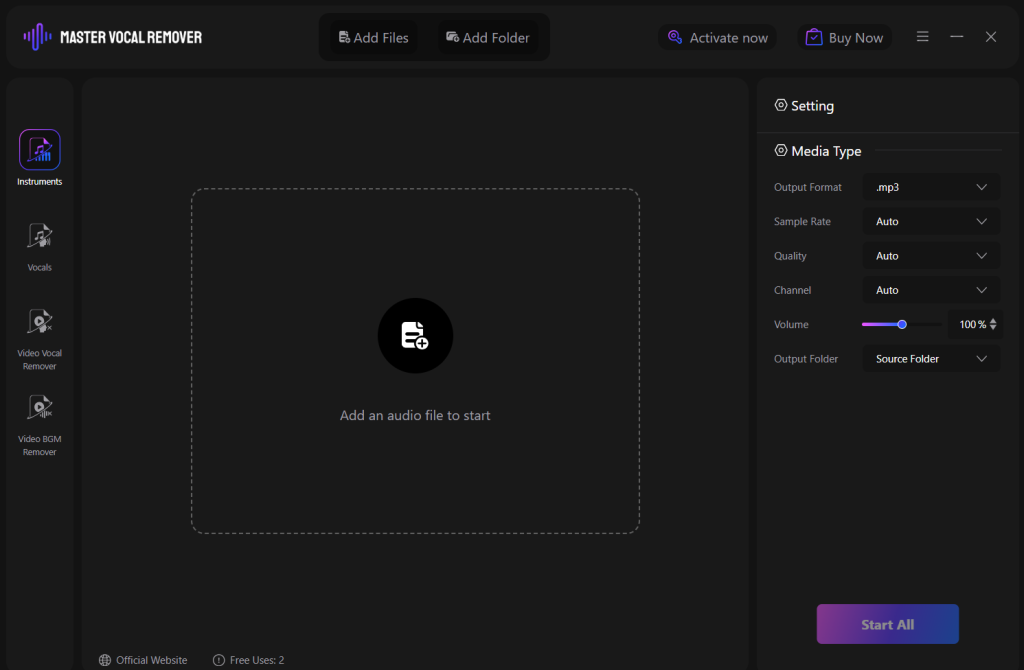
- Start by clicking on ‘add file’ and choose the recording you want to use. The software works with formats like MP3, WAV and others so you don’t need to convert your files at first. You can also drag and drop your files into the system.

- Once the file is uploaded look for the option to remove background music or isolate vocals. This will tell the AI music splitter that you want to keep the voices and delete background music.

- Click on ‘start’ and let the software do its work. You will see the progress bar showing how much work is left. This may take a few minutes depending on how long the audio file is
Alt text: vocal isolator progress bar
- Once it is done, you can listen to the cleaned version to make sure it sounds the way you want. The background music would be completely gone or would have gotten much quieter. If you want to make any changes you can adjust the settings accordingly.
- Save your audio file with a name that will help you remember what it is. You can choose different quality levels. Higher quality takes more space but has more detail in the audio.
Common Problems When Removing Background Music
Even if you use a good software you can sometimes run into a few problems when trying to delete background music
Even with good software, you’ll sometimes run into challenges when trying to delete background music from your recordings. Here’s how to handle the most common issues you might face.
If some background music is still audible after processing, try using stronger removal settings. However, be careful because more aggressive settings might also affect the voices you want to keep. Finding the right balance often takes some experimenting.
Sometimes you might notice that the voices sound different after background music removal. This can happen because some vocal frequencies overlap with music frequencies. The process might make voices sound slightly hollow or processed, but they’re usually still perfectly usable.
You might find that certain words or phrases get affected during the removal process. This typically happens when someone was speaking at the same time as a particularly loud part of the background music. Try gentler settings to see if that preserves more of the speech.
When there are multiple people talking at once, the software might treat some voices differently than others. Voices that are quieter or further from the microphone might be affected more by the background music removal process.
If your recording has other background noises besides music, like air conditioning or traffic, those sounds might become more noticeable after the music is removed. The ai vocal isolator focuses on music removal, so other noises might still be present.
Making the Most of Your Cleaned Audio
Once you successfully delete background music from your recordings, you can use them in many different ways. Podcast creators can turn unusable recordings into clean episodes that sound professional and won’t run into copyright issues.
Business professionals can clean up meeting recordings, interview audio, and presentation materials. When background music is gone, people can focus on the actual content instead of being distracted by unwanted sounds.
Content creators can use cleaned audio for videos, online courses, and other projects. Clean audio makes everything sound more professional and helps your audience stay engaged with your message.
Teachers and students can rescue recordings of lectures, discussions, or presentations that were made in noisy environments. This is especially valuable for important content that can’t be re-recorded.
Family recordings become much more enjoyable to listen to when distracting background music is removed. You can focus on what people are actually saying instead of competing with restaurant music or TV shows.
Just remember to respect copyright laws if you’re planning to share or publish anything that originally contained copyrighted background music, even if you removed it.
Conclusion
Ready to clean up your first audio file? Start with a recording where the voices are clear and the background music isn’t too loud. This makes it easier to judge whether the removal process worked correctly.
Download IPCMaster or another background music removal tool and try it with a few different recordings. Pay attention to what types of audio work well and which ones are more challenging to clean up.
Don’t expect perfect results every time, especially when you’re just getting started. The goal is to get recordings that are usable for your specific purpose, not necessarily studio-quality audio.
Keep practicing with different types of recordings and settings. The more experience you get, the better you’ll become at predicting what will work and choosing the right approach for different situations.
Most importantly, don’t let background music ruin good recordings anymore. With today’s tools, you can rescue almost any audio file and turn it into something clean and professional that people actually want to listen to. Whether it’s for business, education, or personal use, being able to delete background music gives you the power to save recordings that seemed hopeless before.
>>Also Read: Remove Vocals from Track: The Complete Guide for Clean Instrumentals
Extract Vocals from Music: Simple Methods That Actually Work
Looking to extract vocals from music? You can use this to study how your favorite artist sings, create an acapella track, or use clean vocals for a remix project. Whatever the reason might be, you need to learn how to extract vocals from music which is much easier than most people think.
You do not need recording audio or expensive equipment to extract vocals from MP3 files and other formats to your computer. With the right vocal extraction software with a few easy clicks you can learn how to extract vocals in just a few minutes.
Let us show you how you can extract vocals from music step by step using simple methods that give you good results.
Part 1: Why Extract Vocals from Music Files?
People extract vocals from music for different creative and professional reasons:
- Musicians want to learn singing techniques from their favorite artist by hearing the vocals without instruments getting in the way.
- Content creators use clean vocal tracks for video projects, podcasts, or social media content.
- Students and teachers extract vocals from music for education, analyzing how professional singers use different frequencies. They see how singers handle difficult passages or study vocal production techniques.
- Remix artists and producers isolate vocals to create new versions of songs or to mix vocals from one track to another music track.
- Some people just like to listen to their favorite songs from a different perspective.
When you extract vocals from music you can completely focus on the performance of the singer without having any distraction from the backing band.
This entire process used to be complicated and expensive and needed professional software and technical knowledge. The tools today make it possible for anyone to get good results without needing special training or buying costly equipment.
Part 2: Using IPCMaster as Your Free Vocal Extractor
IPCMaster Vocal Remover is a great vocal extraction software because it makes the entire process simple and gives you professional quality results. You do not need to learn complicated settings or spend hours figuring out how to use it.
Here is how you can use IPCMaster Vocal Remover:
- Go to the IPCMaster Vocal Remover website and download their vocal remover tool. It works as a free vocal extractor for trying the basic features. You can then install it like any other program on your computer.
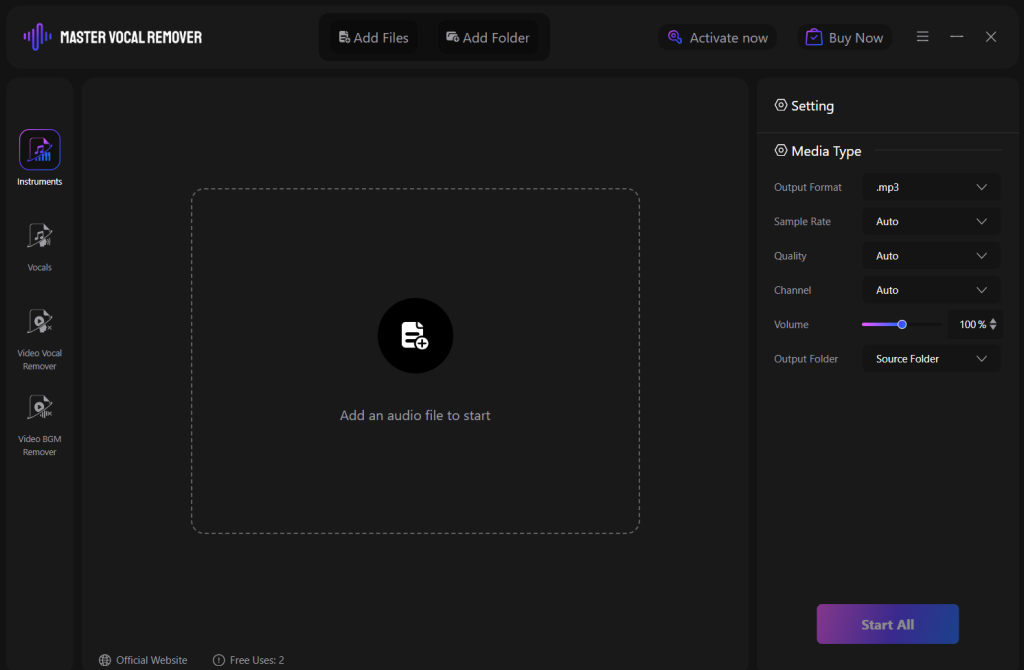
- Once you open the IPCMaster Vocal Remover tool click on ‘add file’ and choose the song that you want to work with. The software can handle common formats like MP3, WAV, and others so you do not need to convert your files at first.

- Once your song is uploaded look for the vocal extraction or vocal isolation option. Choose the settings that you want or you can decide to work with the default settings too for most songs.
- Click on the ‘start’ button and the software will start working. You will be able to see the progress bar showing how much process is left. This depends on how long your song is but most tracks finish processing in a couple of minutes.
- Once the process is completed you can listen to the isolated vocals to make sure they sound exactly the way you want. Most of the instrumental parts would have been gone or been completely quiet.
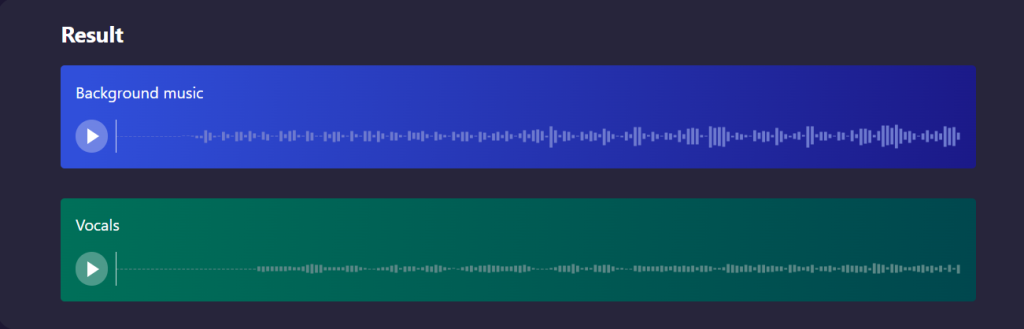
- If you are happy with the results you can save the extracted vocal track to your computer. Choose a filename that you will remember and pick the audio format that would work best for your project.
Part 3: Getting Better Results When You Extract Vocals from MP3
There are some songs that work better than others when you extract vocals from mp3 files. It is important to understand what songs work best to give you the best results and to avoid any frustration that comes when the tracks do not separate well.
- Songs that have clear and permanent vocals work best. This includes most pop music, ballads, and rock songs where the singer has the main focus. The cleaner and more professional the original recording is, the better it is to extract vocals from mp3 files.
- Start the vocal extraction software by adding high quality source files. If you have to make the choice between a low quality mp3 and high quality version of the same song, always choose the better quality file. The entire extraction process will work better when it has more audio information to work with.
- Pay attention to how the song was first mixed and recorded. Songs that are made in a professional studio with standard mixing practices tend to extract better as compared to home recordings or live performances. Most commercial music has mixing conventions that makes vocal extraction even better.
- Listen to your final results with either good headphones or speakers. You need to hear the fine details to see if the extraction worked well. Computer speakers or cheap earbuds will not give the right result of what actually happened during the entire process.
- Try using different settings at first if you do not get the results you want. Most vocal extraction software has different processing options. Sometimes using a gentle setting keeps most of the natural vocal sound while a stronger setting can give you a cleaner separation.
- Keep your original files safe and always work on copies. This way you can try different ways of extraction if your first try does not work out the way you wanted.
Part 4: Common Challenges and How to Handle Them
Even with good vocal extraction software, you’ll sometimes run into problems. Here are the most common issues and what you can do about them.
If you still hear instruments mixed in with your extracted vocals, it usually means those instruments share similar frequency ranges or stereo positions with the vocals. This is especially common with backing vocals, keyboards, and some guitar parts. Try adjusting your extraction settings to see if you can get cleaner separation.
Sometimes extracted vocals sound thin or unnatural compared to how they sound in the original song. This happens because the extraction process can affect the natural character of the voice. There’s not much you can do about this – it’s just how the technology works. The vocals are still usable for most purposes even if they don’t sound exactly like the original.
You might find that some words or phrases are missing from your extracted vocals. This can happen when those parts were recorded or mixed differently than the rest of the vocal track. Try different extraction settings, but sometimes you just have to accept that not every part will extract perfectly.
Backing vocals and harmony parts often stay in your extracted track because they’re recorded and mixed similarly to the lead vocals. This is actually normal – the extraction software treats all vocals the same way. If you need just the lead vocal, you might need to use additional editing to separate them.
Songs with heavy vocal effects like reverb, delay, or distortion can be harder to extract cleanly. The effects sometimes remain even after extraction, or they can interfere with the separation process. This is just something to keep in mind when choosing songs to work with.
Conclusion
Ready to extract vocals from your first music file? Start with a song you know really well so you can easily tell whether the extraction worked correctly. Choose something with clear, prominent vocals – pop ballads and acoustic songs often work great for beginners.
Download IPCMaster or another vocal extraction tool and try it with a few different songs to get a feel for how the process works. Don’t expect perfect results right away – like any skill, vocal extraction gets easier with practice and experience.
Pay attention to what types of songs work well and which ones are more challenging. This knowledge will help you choose better source material for future projects and set realistic expectations for your results.
Keep experimenting with different settings and approaches. Every song is different, and what works well for one track might not be the best approach for another. The more you practice, the better you’ll get at predicting what will work.
Most importantly, have fun with it. Being able to extract vocals from music opens up creative possibilities that weren’t available to regular people just a few years ago. Whether you’re learning to sing, creating content, or just exploring your favorite songs in a new way, vocal extraction gives you a powerful tool for musical creativity and analysis.
Remove Vocals from Track: The Complete Guide for Clean Instrumentals
Trying to turn your favorite songs into a karaoke track? Or looking to get just instrumental music for a project you are working on? Learning how to remove vocals from a track is much easier than you think. You do not need any expensive studio equipment or years of audio training to get good results.
So if you want to sing along to your favorite songs, create background music for videos, or just hear what the instruments sound like without vocals it is easy to remove vocal from track music that gives you a lot of creative possibilities.
Let us walk you through everything you need! lean about how to remove vocals from track to get clean instrumental music that sounds good.
Part 1: How Vocal Removal Actually Works
To remove vocals from track files, all you need to do is some recording and mixing. When it comes to professional recordings, the lead vocals are placed in the center of the stereo field while the instrument frequencies are spread out to the left and the right sides.
A track separator works by analyzing different positions and frequency patterns. The software knows which parts of the audio have vocals and which have instruments. Based on this, the audio track splitter can reduce or remove the vocal parts of a song while keeping the instrumental parts in its place.
Modern tools use AI programs that can easily recognize the difference between a human voice and music instruments even when they are playing in similar notes. This audio track splitter technology has just gotten even better in recent times. This is why vocal removal tools today are known to work so much better as compared to previous methods.
But always remember, the process is not always perfect because some songs are mixed in a different way. But most popular music follows the same mixing practices that makes vocal removal very easy.
Part 2: Using Master Vocal Remover to Remove Vocals From Track
IPCMaster Vocal Remover is an audio track splitter that will help you make removing vocals from a track very easy and simple while still giving your quality results that are professional. You do not need to understand complicated audio engineering concepts or spend hours working on different settings on this track separator.
How to Remove Vocals From Track:
- Go to the office IPCMaster Vocal Remover website and download the software to install it on the computer like any other program. The interface is clean and easy to understand.
- Once you have installed the software, remove the vocals from your track by clicking on ‘add file’ and select the song that you want to work with. The software can work with any common audio formats so you do not need to convert your files first. Once the song is uploaded, you can choose the vocal removal option from the settings available.
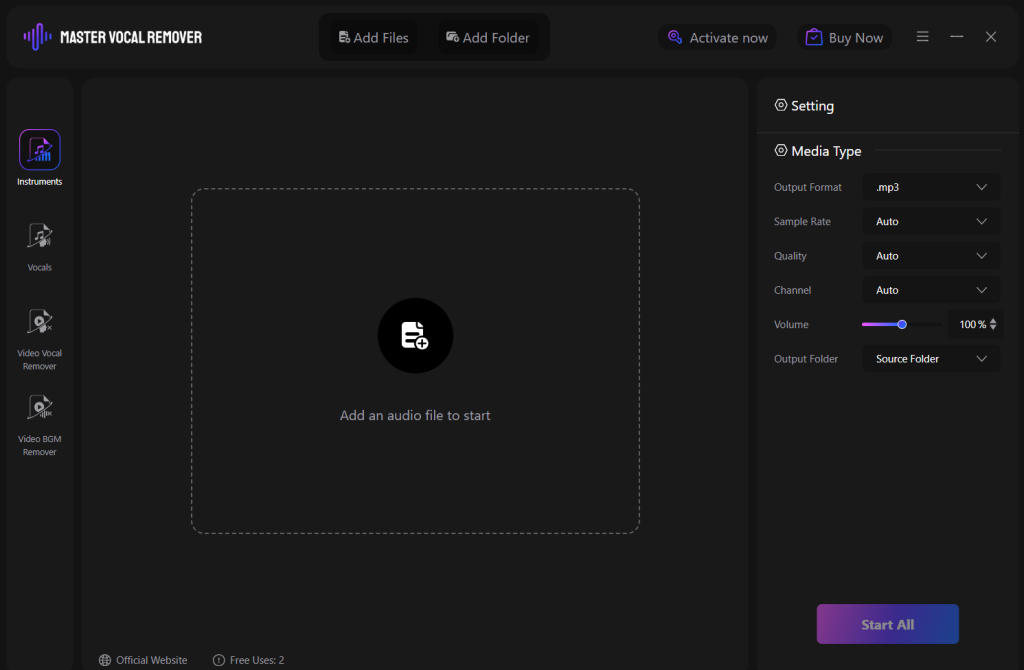
- The software will analyze your track and identify where the vocals are located in the track. This entire process generally takes a minute or two depending on how long the song is. You can see the progress of the separation on the screen to see how much work is left.
- When the entire process is over, you will have a new audio file with the vocals either completely removed or highly reduced.
- Listen to the final results to make sure that it sounds the way you want. If you want to make any changes to the results, the software has simple setting controls to fine tune the vocals that are separated.
- Once you are happy with your output, you can save your instrumental track in any format you like. WAV files will give you a high quality but will take up more space on your computer. MP3 files are smaller and work well for most files.
Part 3: Getting the Best Results from Your Audio Track Splitter
There are many different things you can do to improve the results when you remove vocals from track files. You can start with using high quality tracks during your input to make a big difference. If you have the choice between a compressed MP3 and lossless file like WAV or FLAC, you should always choose the higher quality option.
Listen to the final results with good quality headphones or speakers. Sometimes computer speakers or cheap earbuds will not give you the right sound of how well the track separator has worked. You need to hear the details to decide whether the vocals are still there on the track or if there are any important instrumental parts that would have gotten removed by mistake.
Pay attention to the different settings in the track separator software. A lot of tools have different settings they use. Sometimes using gentle settings can leave a little bit of vocal but keeps the instrumental. Other times you can use an aggressive setting even if it affects some of the instruments.
You do not need to be perfect on your first try. Audio track splitter tools can take some time to understand and are known to respond to different processes. The aim is to get the results that you want for your karaoke, background music, or music analysis.
Always remember, keep the original files safe. Work on copies of your music so you can try different settings if ever needed. Sometimes trying the same song with different settings will give you a much better output.
Part 4: Making the Most of Your Instrumental Tracks
Once you know how to remove vocals from a track, you can use your instrumental version in different ways:
- You can practice singing along, experiment with harmonies, or even learn how professional backing tracks are created.
- Content creators can use instrumental tracks as background music for their videos, podcasts, and presentations.
- DJs and Producers can use this for remixing, adding their own beats, effects, and sometimes different vocals.
- Teachers and event organizers can use custom karaoke tracks for songs that do not have official instrumental versions available giving you more song choices for performances and activities.
Some people just like to listen to their favorite songs from a new perspective. Hearing the separated instrumental parts clearly can give you a new view for the musicians and producers who have created those backing tracks.
Part 5: Choosing the Right Approach for Your Needs
The best way to remove vocals from track files depends on what you are trying to do and how much time you want to invest in learning new tools.
If you are looking for something casual and want quick results, user-friendly softwares like IPCMaster Vocal Remover will give you the best quality. It is also very easy to use and gives you good results without having to spend hours learning about complicated processes.
If you are planning to edit on a regular basis or need specific control over the results then you need to invest some time in learning advanced tools. But for most people, it is better to start simple and easy by using track separator softwares.
Always remember that audio track splitter tools work better with some songs as compared to others and they do not always give the perfect results. The aim is to remove vocals from track files for your purpose whether it is for karaoke, content creation, or just enjoying music in a new way.
Conclusion
Ready to learn how to remove vocals from a track file? Start by selecting the song you know so you can easily tell if the track separator tool has worked or not. You can pick something from a pop artist with clear production that gives the best results for beginners.
Download the IPCMaster Vocal Remover and try to use it with different songs to understand how the entire process works. Do not worry if the first attempt is not perfect. Like any skill, vocal removal will get easier with practice.
Having realistic expectations at first is important. Even professional studios can sometimes have issues with removing vocals. The goal is to get results that work for your needs and not the perfect studio quality instrumentals.
Being able to remove vocals from track files gives you a lot of creative possibilities that may not have been available to you a few years ago. So whether you are creating karaoke tracks, background music, or just exploring songs in a new way, you now have the tools to do it by yourself.
>>Also Read: How to Remove Music from Audio
How to Isolate Vocals from a Song: Your Complete Beginner’s Guide?
How to isolate vocals from a song? Maybe you are looking to get clean vocals for remixing or you just want to study how your favorite artist sings. Trying to isolate vocal from song files might sound complicated but with the right tools it is actually easy.
These days you do not need any expensive studio equipment or years of experience in audio engineering to isolate vocal from song files. With the tools today anyone can isolate vocals from songs in just a few minutes.
Let us look at how we can do this step by step.
Part 1: Why Would You Want to Isolate Vocals?
People learn how to isolate voice from background noise for so many different reasons. This could be for having your own karaoke, need for clean vocal tracks for school projects or presentations, or it could be for musicians who isolate vocal from songs to learn singing or to add vocals on their own. A lot of content creators isolate vocals for videos, podcasts, and creating social media posts.
Whatever the reason maybe, the process is so much easier than how it used to be. You do not need to guess or use complicated methods that hardly work.
Part 2: Understanding Vocal Isolation Basics
Trying to isolate vocals from song files is all about separating the different parts of the music. A song has different layers to it. The vocals are one layer, the drums are another, the guitar is another, and so on.
A lot of songs are recorded with vocals in the center and instruments spread around the left and the right sides. This makes it possible to focus on the center area where the vocals are located.
Modern tools like IPCMaster Vocal Remover will help isolate human vocals with musical instruments. They look at things like frequency ranges and patterns that are different to vocals.
Part 3: How to Isolate Voice from Background Noise Using IPCMaster
IPCMaster Vocal Remover is the best way to learn how to isolate voice from background noise. You do not need to understand difficult audio terms, the program will handle all the technical work for you.
Here is how you can use this AI vocal isolator free tool:
- Getting Started
Go to the IPCMaster Vocal Remover website and download the program. It is free to try and does not take long to download.
Click on the ‘Add File’ button and find the song you want to work on. You can also just drag and drop your song files in the program window.

- Choosing Vocal Isolation
Once the file is uploaded, look for the option that says ‘Vocal Isolation’ or ‘Extract Vocals’. This tells you how you can isolate vocals from song files instead of just removing the vocals. You can also change the quality settings depending on what you want.
- Running the Process
Click on the ‘start all’ button and wait while the program works on your song. This will take a minute or two depending on how long the song is.
You will see the progress bar on the screen. Do not close the system or try to do other things while the file is working on the separation.

- Checking Your Results
Once the process is done, you can listen to the isolated vocals. Play the results to make sure that it sounds the exact way you want it to.
Most of the background music will be gone completely or will be very quiet leaving only the vocals. There might be some background vocals which are completely normal.
- Saving Your Vocal Track
If you are happy with the final output then you can save the isolated vocal track to your computer with a name file that you will remember.
You can save this output in different file formats. WAV files have better quality but they are much bigger files. On the other hand, MP3 files are smaller but have a slightly lower quality..

Part 4: Tips for Better Vocal Isolation Results
A few songs work better than others when you try to isolate vocals. Here are a few tips for you to get the best results:
- Pick Good Source Files: Start with uploading only high quality versions of songs. Music from streaming services or CDs generally work better than low quality downloads.
- Try Different Songs: A few songs isolate better than others. Pop songs and ballads will have a better result as compared to heavy rock or electronic music.
- Use Headphones: Listen to your results with good headphones so you can hear the real output. Sometimes computer speakers do not always let you hear all the details.
- Save Your Work: Always save a copy of your original song file so if something goes wrong then you can start over without having to find the song again.
- Experiment: Try using the same song with different settings to see which one will give you the best and cleanest vocals.
Part 5: Other Ways to Isolate Vocals
IPCMaster Vocal Remover is not the only to isolate vocal from song files. Here are some other options you can explore:
- Phone Apps
There are many phone apps you can use to separate vocals from a song. They are convenient if you like to work on your phone but they generally do not give the best results as compared to when you do it on a computer.
- Online Tools
There are a few websites that will let you upload songs and isolate vocals online. They can work well but you will have to upload your music files to someone else’s server.
- Audio Editing Programs
There are advanced AI vocal isolation programs you can use but they are very complicated. It is always better to stick to much simpler options.
Part 6: What to Expect from AI vocal isolation
It is important to have realistic expectations when you decide to use AI vocal isolator free tools. The results may not sound exactly like studio recordings of just the singer. There might be some instrument sounds left over and the vocals can also sound different than the original song.
Getting the perfect isolation is difficult with difficult songs that have a lot of instruments. But for reasons like learning songs, creating content, or just having fun the results are good enough.
Part 7: Using Your Isolated Vocals
Once you understand how to isolate voice from background noise and isolate clean vocals you can use them is so many ways:
- Learning to Sing: See how professional singers handle different parts of the song.
- Creating Content: Use vocal tracks in videos, presentations, or other projects.
- Making Remixes: Add isolated vocals to your own music or beats.
- Analysis: Understand how vocals are produced and recorded.
- Practice: Sing using just the vocal track to focus on your techniques.
Part 8: Choosing the Right Tool
IPCMaster Vocal Remover gives you the best balance of ease of use with good quality. It is an AI vocal is an AI vocal isolator free option that does not need any technical knowledge but still gives a professional result.
If you only need to isolate vocals for personal use then free tools are generally good to use. But if you are doing this for work or other serious projects, you might want to see other paid options that have more features.
The important thing is to start with something that is simple so you can learn how the process works before using complicated tools.
Getting Started Today
Learning how to isolate vocals from a song is so much easier than you think. With tools like IPCMaster Vocal Remover you can get good results without spending money or learning complicated methods.
Remember that not all the songs will isolate perfectly. The goal is to get results that work best for your needs whether it is for creating content, learning music, or just experiments with your favorite songs.
The technology behind AI vocal isolation keeps getting better making it easy for you to isolate vocals from a song without using expensive studio equipment. Using these tools will help you and you can also experiment with different creative projects to help you isolate vocals from your favorite songs.
>>Also Read: How to Remove Music from Audio
How to Remove Music from Audio: A Step by Step Guide for Crystal Clear Results
Have you ever happened to get a perfect audio recording then it was ruined by some music? This could be from an interview you must have taken but the playlist at the restaurant kept playing in the background. Or, it could be when you recorded the first words of your child that was ruined by a TV background. Or you could simply just want to remove music from audio.
Today, you do not need an audio expert or need to spend thousands on professional software to fix this problem. This is a very common situation and with the technology that we have today it is actually very easy to remove music from audio files while keeping the audio clear.
Let us go through everything that you need to know about how to remove music from audio recording:
Part 1: Understanding Audio Separation
When you are trying to remove audio from music tracks, the biggest mistake you can make is focusing only on removing the unwanted areas. What really matters is what is left behind. Using poor removal techniques can give you audios that sound very distorted.
Here is what happens when you try to remove audio from a song and it goes wrong:
- Digital Artifacts Appear: You might hear a buzzing, clicking, or wrapping sounds that can make the audio sound processed and unnatural.
- Voices can Lose Character: The natural warmth and personality in the voice will go away and it will leave a flat sound which almost sounds robotic.
- Uneven Volume Levels: Parts of the conversation can become really quiet almost like a whisper while others can be really loud.
- Missing Frequency: There can be some important parts of the audio that can also get removed from the music.
When you extract audio from song files, you need to keep in mind that it is not just about removing mixed recordings, but it is about preserving them.
Part 2: Practical Methods to Remove Music from Audio Files
Let us look at a few methods that you can to remove music from audio:
1. IPCMaster Vocal Remover: The All-in-One Solution
IPCMaster Vocal Remover helps you to create professional level audio separation very easy and accessible to all. This software uses artificial intelligence processing to analyze the recording and identify the different audio components that are a part of it automatically.
Here is how the audio remover vocal tool works:
- Getting Started
Download the IPCMaster Vocal Remover from the official website and follow the prompts available on the screen to install the tool on your device. This will be ready in just a few minutes.
- Loading Your Audio
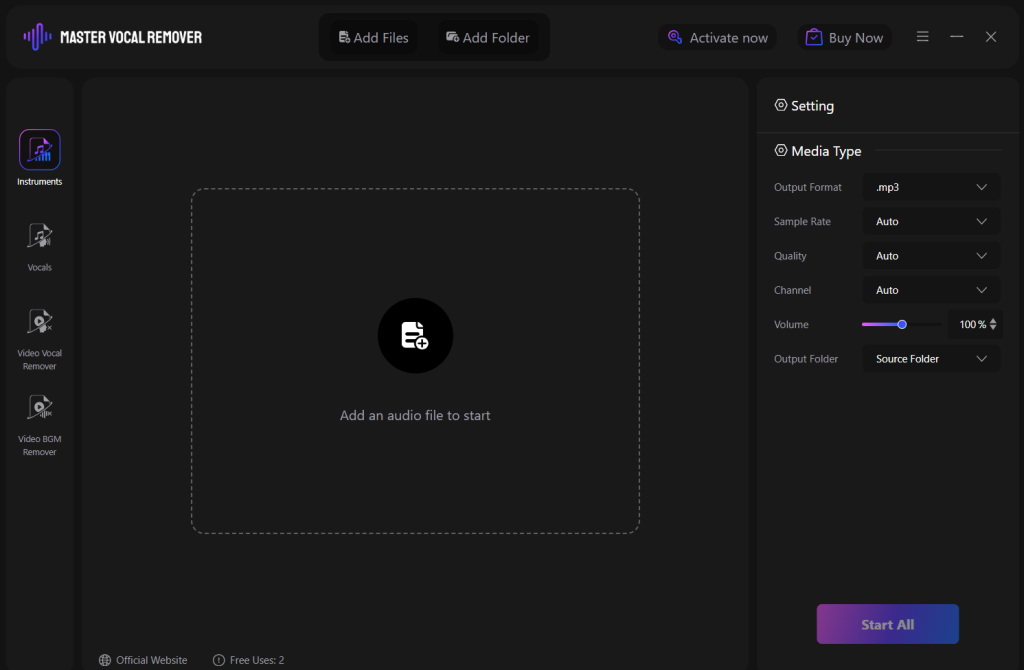
Once the program is launched, you can open the tool. You will see a clean and uncluttered interface. Click on the “Add File” button and check what recording you want to upload. This software will work with all standard audio formats so you do not have to convert any files first.
- Setting Up The Separation
Choose the separation mode that you need. If you are trying to remove audio from music while keeping the vocal then click on the voice isolation option. But, if you are trying to remove the background music from certain audio recording, then you will see an option for the same.
- Processing Your Audio
Click on the ‘Start’ button and your work will begin. The AI will start with examining the frequency patterns, identifying different audio sources, and then will separate them. This generally will take a minute or two depending on the file size.

- Reviewing Results
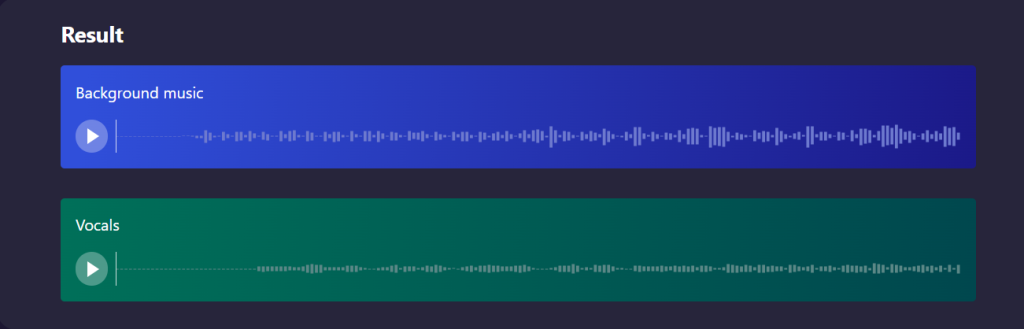
Once the process is done, you can listen to the separated tracks, You can preview both the vocals and removed music to make sure that you get the output you wanted.
- Fine Tuning
You can use the controls to adjust the balance if needed.
- Exporting
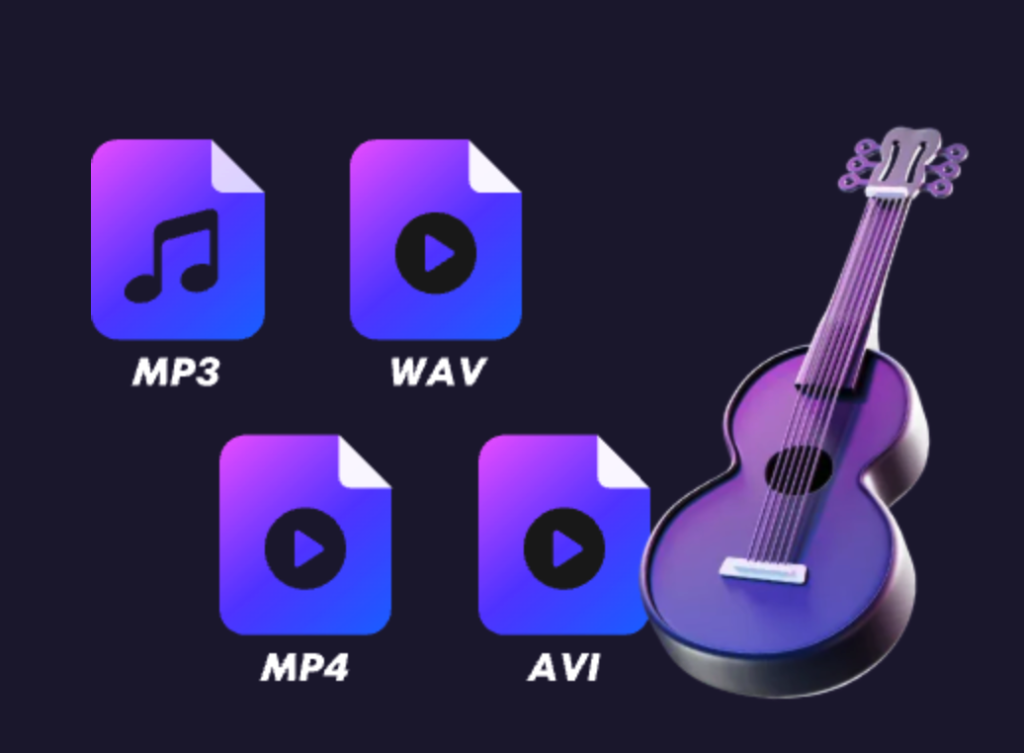
Once you are satisfied, you need to save your audio in your preferred format. For the best quality you can choose formats like WAV or MP3.
2. Alternative Techniques for Audio Cleanup
You can also use manual methods to work with editing audio files. These include:
- Targeted Frequency Removal
This is about identifying what frequencies the background music uses and reduces only those ranges while leaving the other vocal frequencies intact. This requires a lot of trial and error but it can be an effective method..
- Center Channel Extraction
A lot of recordings have vocals in the center of the stereo field while spreading music to the left and the right. You can use this to extract audio from song files by focusing on the center channel.
- Noise Profiling
If there is a section on your recording that only has background music, you can create a ‘noise profile’ and use it to remove these sounds from the entire file.
Part 3: Essential Tips for Professional Quality Results
When you remove music from audio files, these are a few tips that you need to follow to get good results:
- Have good source materials: The higher the quality of original recordings will always give the best results. If possible, try to record in a quiet environment to reduce the amount of separation needed for later.
- Choose the right export settings: Do not compress your audio after processing. Try to maintain quality levels to keep the clarity you want.
- Listen on multiple systems: Check your results on different speakers and headphones and see what sounds good.
- Process less: Try not to use many effects as each level of processing can introduce subtle degradation.
- Save multiple versions: Keep different copies at different stages of processing so you can go back if you need to try a different method or make some changes later on.
Part 4: Troubleshooting Common Audio Separation Problems
Even if you have the best tools, you will have certain challenges when it comes to trying to extract audio from song files. Here is how you can handle these challenges:
- When Voices and Music Share Similar Frequencies
This is very common with female vocals and high pitched instruments. You can try to use a gentler separation method or manual frequency to make sure the clarity of the vocal stays.
- Dealing with Stereo Complexity
If the original recording has vocals across the stereo field instead of it being in the centre, then automatically separating them becomes difficult. You will first need to convert the file to mono or use a special stereo processing technique.
- Handling Low Quality Source Material
Files that are heavily compressed or have low bitrate do not separate easily. Here, you will need to focus on removing the most prominent musical element instead of focusing on getting complete isolation.
- Managing Live Recording Acoustics
Recording in spaces that echo or have many microphones can lead to challenges. This is why sometimes leaving small amounts of residual music is better than over processing it and damaging the voice quality.
- Processing Very Short Audio Clips
Very brief recordings do not give separation algorithms much information to work with. For files that are under 10-15 seconds you can use manual editing techniques instead of automated processing.
Conclusion
Removing background music from audio recordings used to be very expensive with different softwares and technical backgrounds. But today, with solutions like IPCMaster Vocal Remover, you can remove music from audio files in just a few simple clicks.
It is important to understand that this process is also about preserving and enhancing audio elements that you want to keep. Using the right methods and tools you can easily extract audio from music and turn them into clean and professional sounding audios.
Whether you are cleaning up podcast recordings, preparing audio for video projects, or are just trying to keep important personal recordings tools like IPCMaster Vocal Remover will help you get the result that you want. You can easily experiment with different settings on this tool to see what works the best for you and your audio recordings.

Master Uninstaller
How To Detach Audio From Videos (and YouTube) in 2025
Sometimes, you just want to hit mute on a video… literally. It could be a vlog with an excessively annoying background noise, or maybe a YouTube video. Whatever the case, we don’t want distractions, right? That’s why learning how to detach audio from a video can be a total game-changer.
And the best part? You don’t need to be some sound engineer with ten screens and fancy headphones. There’s no denying that AI is stronger than ever. And the audio removal world is no stranger to that. Removing sound from videos is now faster…and oddly satisfying than ever.
This article will guide you on all things vocal remover. From the basics to different use-cases in which vocal removers would be your best bet. Let’s start exploring the best tools to detach audio from video in 2025.
What Does Detach Audio From Video Actually Mean?
Hold up! Before we rush towards the tools, it’s essential to understand the basics. Let’s clear the air around that first.
So what happens when you detach audio from video? You’re basically separating the sound layer from the visual one. Think of it as pulling apart two pieces stuck together. But once they’re separated through a recovery, you can use them however you like.
However, AI tools take this up a notch by recognizing each layer: vocals, instruments, drums, and even background hum, and splitting them neatly for you. It’s like having a tiny invisible sound engineer working in the background.
This could also mean:
- Extracting just the music track.
- Removing vocals or dialogue to keep a clean background sound.
- Muting ambient noise (because that wind was way too loud).
- Or isolating voices for podcasts or remixing.
Why Remove Audio From a Video?
There are tons of reasons people detach or remove audio. And not all of them are related to music production. Whatever your reason, having control over audio gives you creative freedom. And honestly, a little peace of mind when editing.
1.- For Editing: Maybe you’re repurposing an old video clip and want to replace the soundtrack. Removing the old track lets you start with a blank canvas.
2.- For Clean Voiceovers: Content creators often strip the original sound. They do so to record narration over it. It’s convenient when you’re filming outside and your mic picks up more birds than your voice.
3.- For Remixes or Sampling: Musicians and DJs love breaking songs apart. Especially to rebuild them creatively. That’s why vocal removers are god sent for them! With these tools, all they have to do is remove the vocals. So that they can pull out just the instrumental and remix it into something new. Any mashup lovers here?
4.- For Social Media Content: Just a single scroll through TikTok and Instagram tells you how much of it revolves around sounds. But ever wondered how those creators come up with catchy remixes and banger mashups? Well, vocal removers are your answer.
3 Easiest Ways to Detach Audio From Any Video
You’ve got options. Whether you’re an online tool person, a mobile app enthusiast, or a desktop loyalist, there’s a way for everyone to separate sound from video without pulling your hair out.
1. Use Online AI Tools
Suppose you want quick results without having to download software. Trust me, online tools are your best friend. Websites like LALAL.ai and Media.io are the best in the market for that purpose. They can separate vocals, instruments, and background sounds with just a few clicks.
Here’s the usual workflow: Head to the website > Upload your video file in various formats like MP4, MOV, MKV, etc. > Wait for the vocal remover to process it > Download the clean audio or isolated stems.
That’s it – no tech jargon, no frequency bands, no stress. These tools use machine learning models trained on thousands of sound files. That helps them detect and separate voices or instruments precisely.
2. Try Built-In Video Editors
Editing apps like CapCut, Filmora, or iMovie come with a Detach Audio or Separate Audio option right in the timeline. It’s not as smart as AI tools. It won’t split vocals and instruments. But for quick edits, it’s perfect. Think of it as the instant version of sound editing.
Here’s how the workflow looks:
- Import your video into the timeline. Make sure you have a trimmed video ready to work on.
- Right-click (or tap on mobile) and select Detach Audio.
- The audio track appears separately below the video layer.
- Delete or mute it, or export it separately.
3. Use Offline Audio Extraction Software
Many people prefer not to go online for every task. If you’re one of those people, this one’s for you. Multiple software programs, like Master Vocal Remover, are your one-stop solution for detaching audio from video. I love how handy they are. And the fact that they work even when the wifi’s being dramatic? Like hello? Totally worth it!
Here’s how they usually work:
- Upload the video.
- Separate or mute sound (depends on the algorithm)
- Export just the audio file (like MP3 or WAV).
Detach Audio From Video With Master Vocal Remover
Now for the fun part. Let’s talk about a tool that’s actually designed to make this ridiculously easy.
Master Vocal Remover is an offline Windows-based software that specializes in splitting vocals, instruments, and noise layers from songs or videos: no complicated setup, no steep learning curve. Just drag, drop, and separate.
Here’s how it works:
Step 1. Download and Open Master Vocal Remover
Head to the official website and grab the installer. It’s lightweight and easy on the system space. Once installed, you can open the tool.
Step 2. Import Your Video or Audio File
- From the main menu, select the Video Vocal Remover option and upload your file.
- To upload multiple files at once, navigate to Add Files for bulk processing.
- The software supports both audio and video formats.
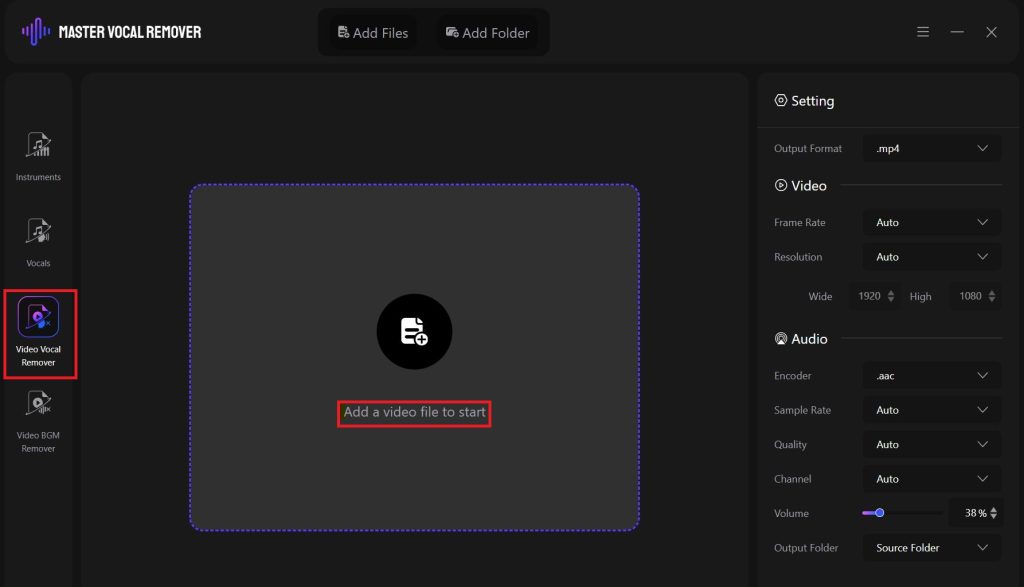
Step 3. Choose Your Preferred Settings
- Once you have chosen a video, head to the Settings panel.
- Start customizing the output vocal settings there.
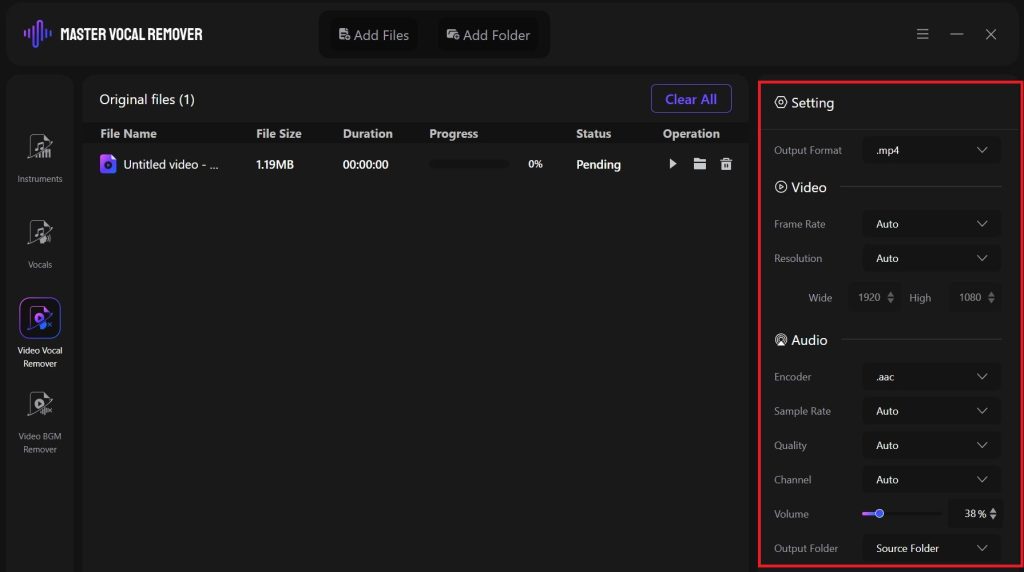
Step 4. Process and Download
- Click Start All, grab a snack, and let the tool do its thing.
- Once done, you can preview and download the clean track.
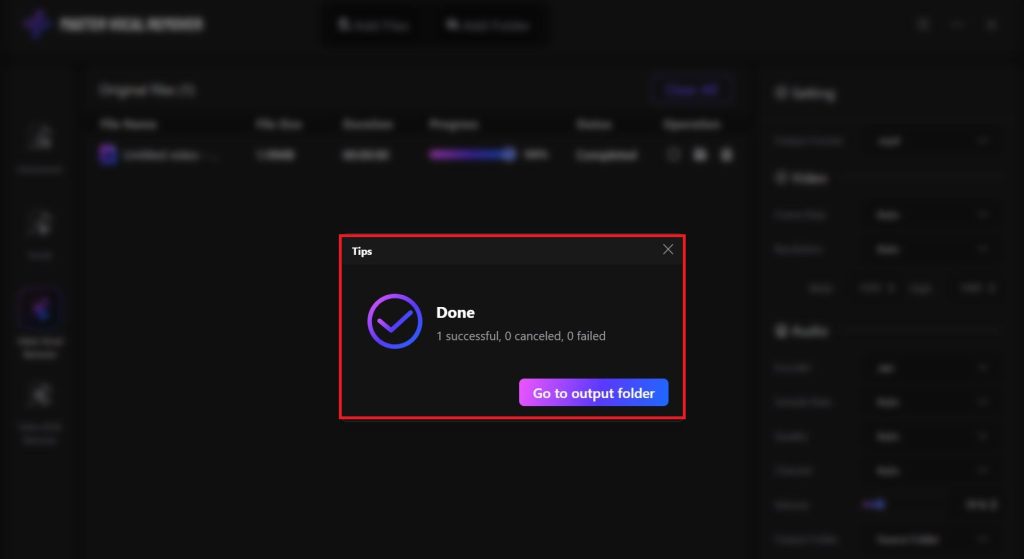
AI Vocal Remover Tools to Try in 2025: Detach Audio From Video
Now we’ve covered one of the best offline tools in the market. But in case you’re curious to explore more. We’re here to help!
The internet is overflowing with “AI vocal removers”. Each claiming to be the best. But only a handful of them actually deliver. Here are a few reliable tools worth checking out:
1. LALAL.ai
Looking for professional results without long processes? LALAL.ai is the way to go. It’s famous for its near-studio quality stem separation. You can remove vocals, isolate drums, or pull out instruments like bass, piano, or guitar, all in a matter of minutes. While it’s slightly pricier than other tools, its accuracy makes it a go-to for users.
PhonicMind
PhonicMind has to be my favorite on the list. It also deserves a special nod for being one of the first tools to introduce AI-based vocal removers. Remarkable right?
PhonicMind’s target users are creators. Especially the ones who want to be in control of what gets removed and what doesn’t. In simpler words, it’s a lot more detail-oriented than other tools.
Vocal Remover & Isolation
Do you want to just test the waters and not install another bulky software? Then this browser-based tool is a great start. You upload your song, choose whether you want vocals removed or isolated, and get the results within seconds.
It’s perfect for beginners because it doesn’t drown you in technical options. That said, the output quality can depend heavily on how good your original file is. As stated before, high-quality recordings yield the best results.
For casual use or quick projects, it’s a simple, fuss-free way to experiment with vocal separation.
Media.io Vocal Remover
Media.io has quietly become one of the most reliable options for quick audio extraction. It supports both small clips and large files. Processes them at decent speed, and the best part? You don’t even need to create an account to get started.
You can remove vocals, extract background music, or isolate instruments for remixes. However, it’s not quite as advanced as LALAL.AI. It still offers a nice balance between accessibility and performance, making it great for educators, hobbyists, and video editors.
How To Remove Vocals From YouTube Videos
Ah yes — the YouTube dilemma. You find a song, love the vibe, but only need the instrumental or just the vocals. The good news? You don’t need to mess with sketchy websites or complex software anymore. Here’s a safe and reliable way to get clean tracks from YouTube videos:
1. Download the Video Safely
Use a trusted, copyright-respecting downloader such as 4K Video Downloader or YT-DLP. Avoid random “free” sites that spam ads or alter file quality. Trust us, it’s not worth the risk.
2. Choose the Right Tool
Once downloaded, import your file into a tool like LALAL.AI or Master Vocal Remover. Most support common formats like MP4, MP3, or WAV.
3. Select the Audio Component You Want
You’ll usually have the choice to remove vocals, background noise, or instrumentals. Go for “instrumental” if you want karaoke-style results or “vocals only” for remixes.
4. Process and Review
Let the tool work its magic. Depending on your file size, it might take from a few seconds to a few minutes. Preview your results before downloading. Most tools now let you double-check before downloading.
5. Download and Reuse
Export the cleaned version. And voila, you’re ready to mix or edit it into your project.
Note: If you’re planning to use the track for public uploads (especially on YouTube or Spotify), make sure it’s copyright-safe. Using it privately for study, remixes, or practice is fine. But reposting copyrighted content? Not so much.
Vocal Extractor vs Audio Remover: What’s the Difference?
At first glance, “audio remover” and “vocal extractor” sound like the same thing. But they actually serve different creative goals. Let us explain.
Audio Remover
Think of this as the mute button for videos. It removes all audio. From voices, music, or background sounds. Leaving you with a completely silent clip. Perfect when you want to replace an entire soundtrack with new sound effects or voice-overs.
Vocal Extractor
This is more like an intelligent filter. It separates audio layers instead of muting them. In simple words, unlike audio removers, extractors can actually distinguish between the many song layers.
With audio extractors, you can isolate vocals, pull out the background, or extract specific instruments. Ideal for remixing, karaoke creation, or studying musical arrangements.
So, if your goal is to replace the sound entirely, go for an audio remover. But if you’re trying to manipulate sound, remix, isolate, or rework, a vocal extractor is your best friend.
Detach Audio From Video: FAQ
1. What does it mean to detach audio from video?
It means separating the sound from the visuals. Like pulling apart the audio track so you can edit, replace, or mute it independently.
2. What is Master Vocal Remover?
Master Vocal Remover is an offline software that removes vocals or background sound from any song or video file. It’s quick, beginner-friendly, and supports multiple formats.
3. Can I remove vocals from a YouTube video?
Yes, but first download the video legally using a trusted downloader. Then upload it to a vocal remover tool like Master Vocal Remover or LALAL.AI to isolate or extract the vocals.
4. What’s the difference between a vocal extractor and an audio remover?
A vocal extractor isolates vocals or instruments, while an audio remover deletes the entire soundtrack. One edits selectively, as the other silences completely.
5. What are other tools like Master Vocal Remover?
You can try LALAL.AI, PhonicMind, Moises.ai, or Media.io. Each offers different levels of AI precision for extracting or cleaning up audio from videos.
Smarter, Faster, Cleaner Sound Editing
So there you have it. Detaching audio from videos isn’t as much of a headache as it used to be. AI has turned what was once a technical chore into a one-click task.
Whether you’re cutting vocals, cleaning noise, or pulling stems from YouTube, tools like Master Vocal Remover make the process clean and quick.
Try a few options, compare the results, and see what fits your workflow best. Who knows – maybe your next remix or vlog will sound a whole lot better with just a little less noise.
>>Also Read: How to Separate Music from Vocals Without Losing Sound Quality